PPAE-001critical severity
Asset capitalised without commissioning evidence
Forensic ledger engine
Quantom reads a client’s general ledger where it already lives, runs a library of rules built for Indian audit over every line, and returns flags an auditor can act on. The reasoning behind each flag stays in the file, so a finding questioned months later still has an answer.
General ledger · 10 of 1,04,281 rows shown
6 questions returned
Asset capitalised without commissioning evidence
CWIP ageing beyond one year with no movement
Receivable outstanding past 180 days, unprovided
Cash payment to a single party crossing the day limit
Negative stock on a closing date
Round-sum expense booked on the last day of the period
Illustrative product data. No client ledger is shown.
Illustrative product data. No client ledger is shown.
The buyer problem
A statutory audit ledger now runs past a lakh of rows. Reading through it, or sampling a slice and hoping the rest holds, was never really an audit method — it was a limit on how much attention one file could get.
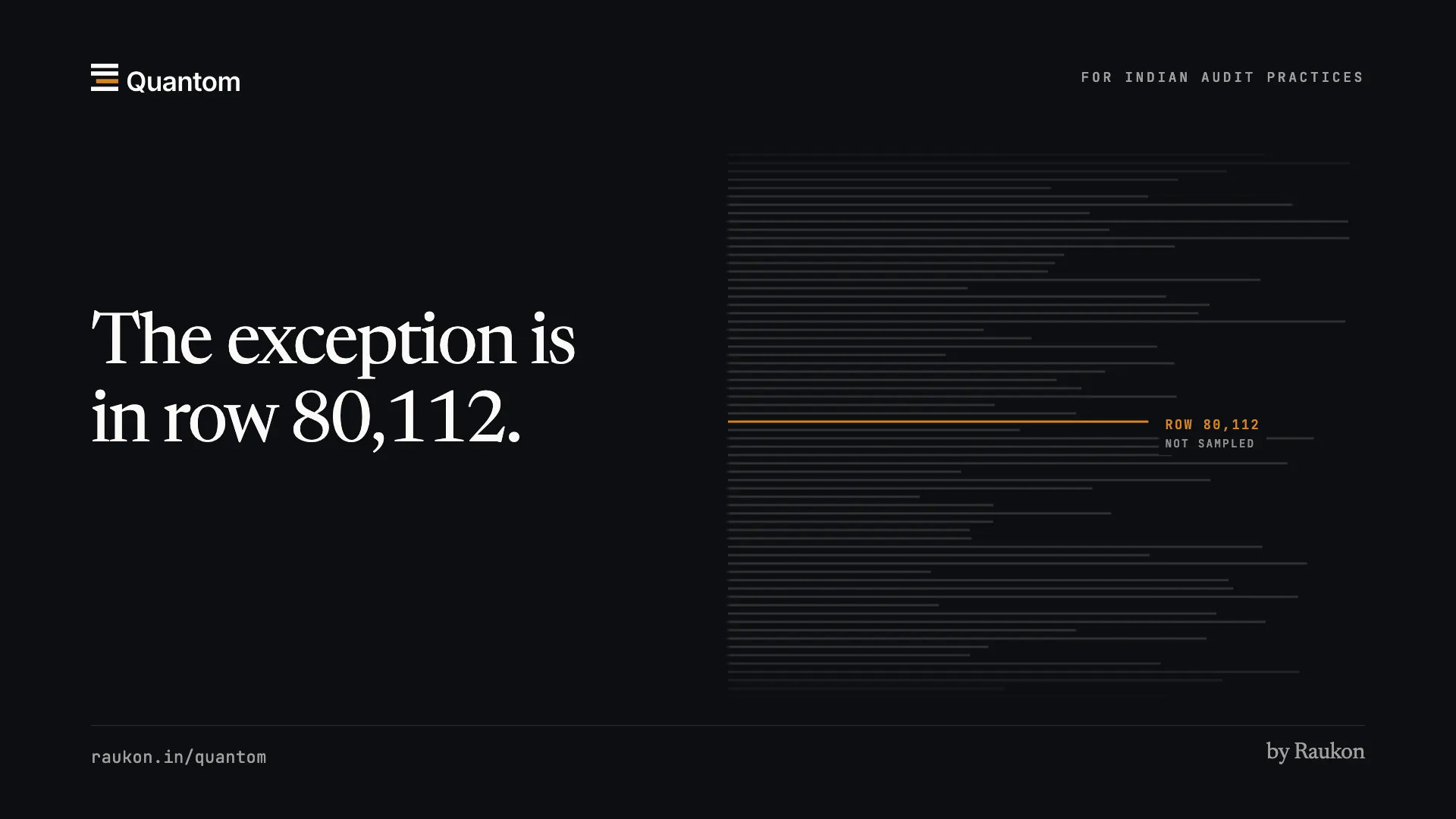
Testing a few hundred entries out of a lakh does not scale to what an Indian statutory audit now has to cover, and it never surfaces the exception sitting in row eighty thousand.
A balance gets cleared over a call and the file moves on. When the question returns at review or inspection, the reasoning behind it is gone with the person who gave it.
How it runs
A desktop connector runs on the client machine and streams the ledger across. Nothing is mailed, nothing is re-keyed.
Ten lakh rows and more, normalised into a columnar store built for scanning rather than browsing. Every voucher — date, number, party, both legs — is in the app from here on; nobody goes back to Tally for reference. Where a workbook can be read two ways, the auditor is asked one question, and the answer is kept for the next time that client’s book arrives in the same shape.
Declarative rules compile down to analytical SQL and run across the whole ledger, not a sample.
Each hit carries a rule id, an amount, a severity and a reason an auditor can read without opening the ledger.
An auditor opens the evidence behind a finding, shares it with the client or proposes the adjustment from it, and the trail stays on the file against the person who acted.
What was tested, what fired, what did not, and what the auditor concluded — as one document.
The rules library
Rules are grouped by where they sit in the Schedule III balance sheet and profit and loss statement, and each is parameterised per engagement so thresholds match the client in front of you rather than an average. Where a rule tests a specific section or Standard on Auditing, it says which. Journal-entry tests cover unusual timing, round numbers and high-value entries, including the year-end entries SA 240 asks about. A firm writes its own rules in the builder — filters, aggregations, duplicates, sequence gaps, Benford — and tests them against its own books before saving.
Actual Quantom interface · Demonstration data
Review
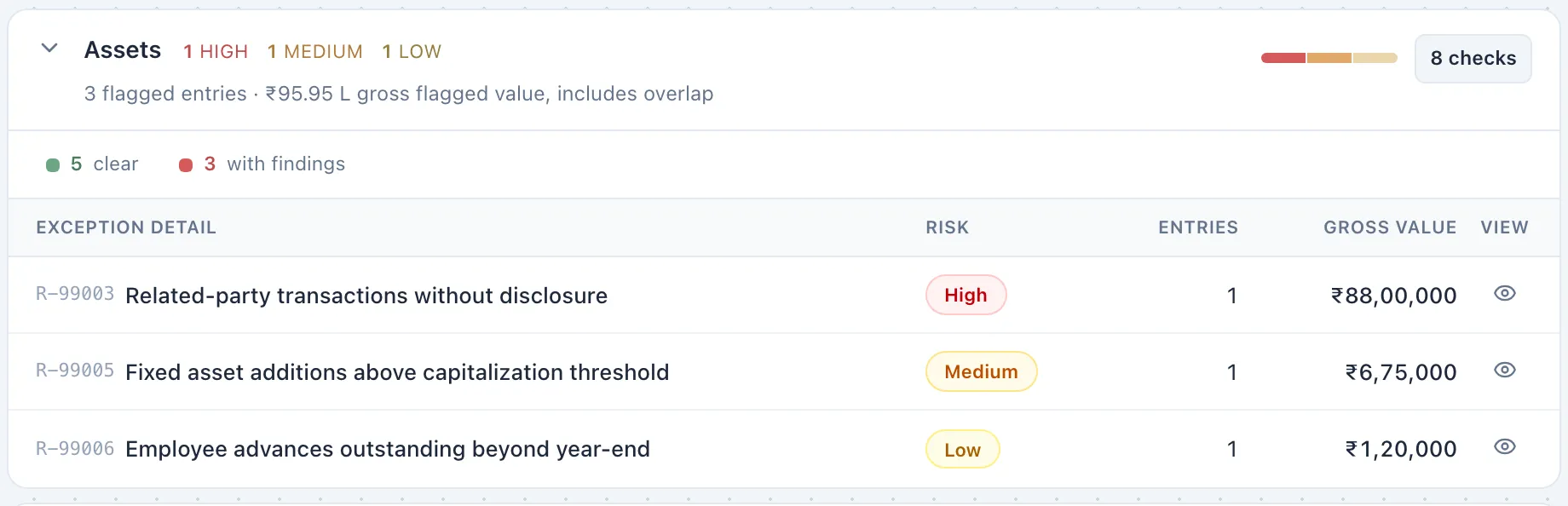
Flags arrive sorted by severity and amount, so the biggest exposure is read first. Every action — a finding shared with the client, an adjustment proposed from it, a review recorded — is logged against the user who took it, with the reasoning attached.
No commissioning certificate on file. Sent to the client for the certificate before sign-off.
Ageing verified against the balance confirmation received from the client.
Provision short by the amount tested. Proposed the journal from the finding for the partner to approve.
The output
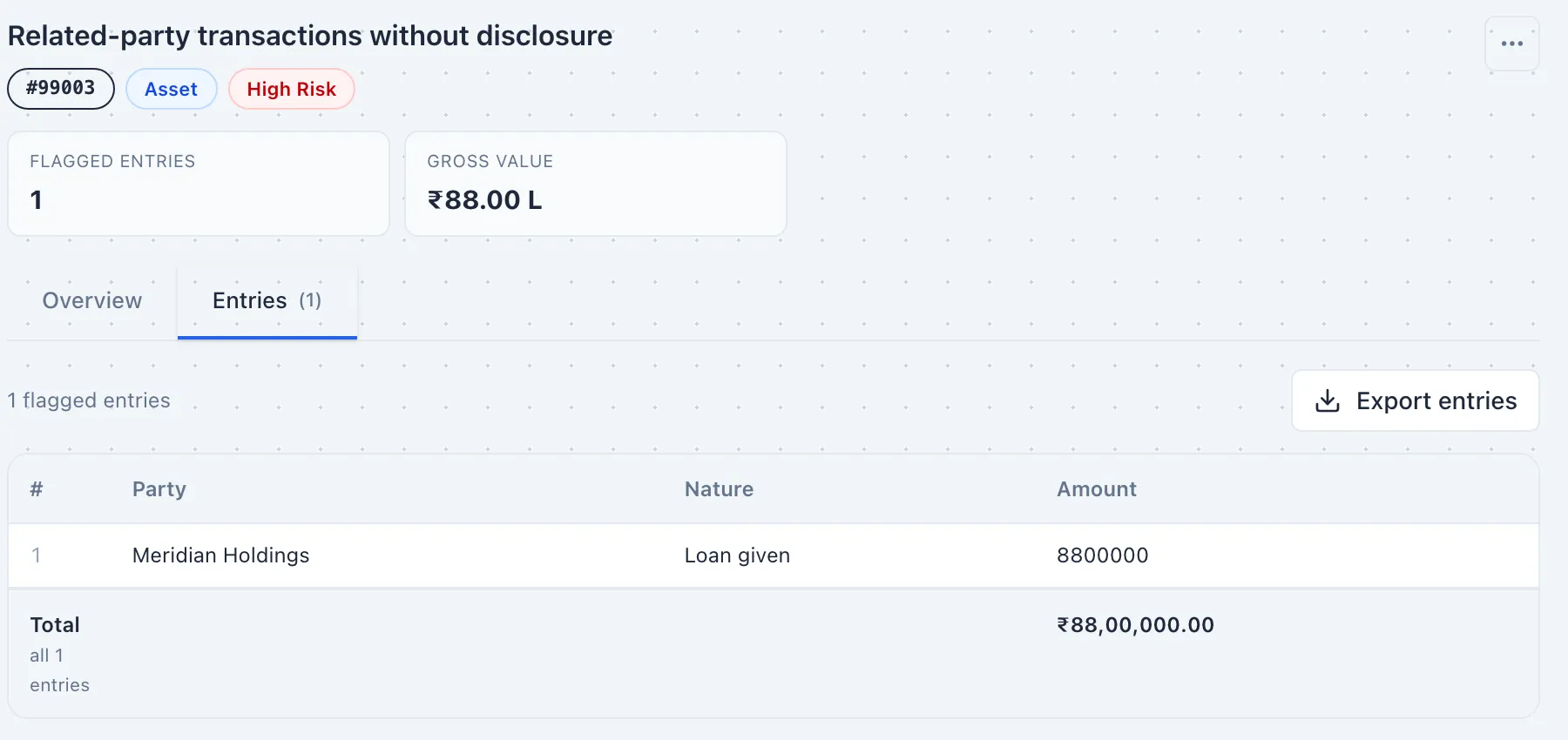
The deliverable states what was tested and what was not. Rules that did not fire, rules that were disabled, and rules that had no data to run against are all disclosed, because being able to prove the scope of testing is the point of the exercise.
PPAE — property, plant and equipment. Every rule ran across the full ledger.
TR — trade receivables. Every rule ran across the full ledger.
NCI — non-controlling interests. No qualifying balance existed in this ledger.
OCFA-014 — turned off for this engagement; the threshold does not apply to this entity type.
Actual Quantom interface · Demonstration data
Actual Quantom interface · Demonstration data

From findings to financials
The audit does not stop at a list of flags. The same file carries the statements, the notes, the policies and the adjustments, and each of them can be opened down to the entry it came from.
A figure on the balance sheet opens to its note where one is bound, then to the account groups and ledgers that make it up, then to the voucher with both legs showing. Four hops, one panel, no export in between.
Any ledger charts its debit, credit and net movement across the year. Click a month and it opens day by day, so an unusual run of entries is seen rather than searched for.
An audit journal can be raised directly from a flag, or uploaded in bulk from an Excel template with a preview before anything posts. Quantom never writes back to the client’s Tally — the connector is read-only by design.
Schedule III Division I under AS, Division II under Ind AS, and the ICAI non-corporate format. The entity type decides which applies, and the notes regenerate from the live trial balance rather than being typed in.
A framework-aware set of policies, worded for the standard in force, that the auditor edits per client and per year. What was changed stays changed the next time the file opens.
Comparatives come from an uploaded prior-year trial balance or workbook, or from a prior-year pull through the Tally connector, and the opening balances are read against where last year closed.
Artha answers questions about a client’s books, a finding or a Form 3CD clause. It reads the books and cannot change them; proposing an adjustment stays a button the auditor presses.
Statements, notes, the findings workbook and the journal register download as Excel; statements and the findings report as PDF. Nothing is retyped to leave the system.
One client, separate assignments
A client rarely needs one thing from the firm. Each assignment opens as its own audit for that client and year, with the inputs, the working screen and the output that kind of work calls for. None of them is a tab inside another.
The general ledger and trial balance, tested by the rule library. Out come the findings, the review trail, the statements with their notes, and a report that states what was tested.
Form 3CD with Form 3CA or 3CB for years up to 2025-26, and Form 26 under the Income-tax Act, 2025 from tax year 2026-27. Worked clause by clause from the books and last year’s filed report.
Working schedules for GSTR-9 and GSTR-9C for 2025-26, built from the monthly GSTR-3B figures, GSTR-2B, the portal’s own GSTR-9 download and the books. A row stays blank until every figure behind it is there. The schedules leave as Excel, and the firm files on the portal.
Tax audit
The form is the working screen. Each clause shows its answer, what the answer rests on and what is still missing, and nothing counts as an answer until the auditor has agreed it.
Illustrative form. No client is shown.
Depreciation by block, cash payments over the daily limit, loans taken and repaid, statutory dues and the ratios are built from the ledger, and each schedule opens to the rows behind it.
Quantom drafts ledger lists and typed answers from the client record, the books and last year’s filed report. The auditor agrees a draft, changes it, or asks about the clause beside it. A draft is never an answer by itself.
Upload last year’s filed report as the portal’s PDF or the utility’s file. What it said arrives as drafts to confirm, never as this year’s answers.
A workbook, a working-paper PDF and, for Form 3CD, the file for the department’s utility. That file is named a draft until nothing is missing and it passes the department’s schema. The firm uploads it; Quantom does not file.
Before day one
Nothing here asks a client to change how they keep their books, and nothing asks the firm to open a port.
Tally Prime, reached across your own network. Tally does not have to sit on the machine running the connector — both the host and the port are set in the connector itself. The link out to Quantom is outbound only: nothing is exposed to the internet, no port forwarding, no static IP.
Windows 10 or 11. The connector installs like any Windows application and sits in the tray, or runs as a Windows service where IT would rather it did. Its one dependency is Microsoft’s WebView2 runtime, already present on Windows 11 and on most maintained Windows 10 machines.
A firm that would rather not install anything — or whose client runs SAP, Oracle or another ERP — uploads the books instead: .xlsx, .xls or .csv. There is no template to fill in. Quantom reads the columns it is given and maps them; where a layout can be read two ways, it asks the auditor one question and waits rather than deciding on your behalf. A Tally workbook with one sheet per unit is read whole, and an import that would leave figures out is held for review instead of passing as complete. A trial balance needs ledger names and closing balances. A general ledger needs dates, vouchers, amounts and narration.
One practice
Klok carries the client, team and deadline. Quantom carries the ledger, finding and conclusion. Raukon keeps the context between them intact.
For practices auditing banks
A bank’s provision reaches the ledger already worked out. Provisio works it out again, from the bank’s own data.
Read about ProvisioA clearer practice
Start the trial and see what Quantom finds in a live engagement, not a demo file.